Where's My Logo? Tracing Gmail's BIMI Validation Path
Your DMARC is perfect and your SVG is valid, but the logo is missing—here's the exact validation chain Gmail follows.
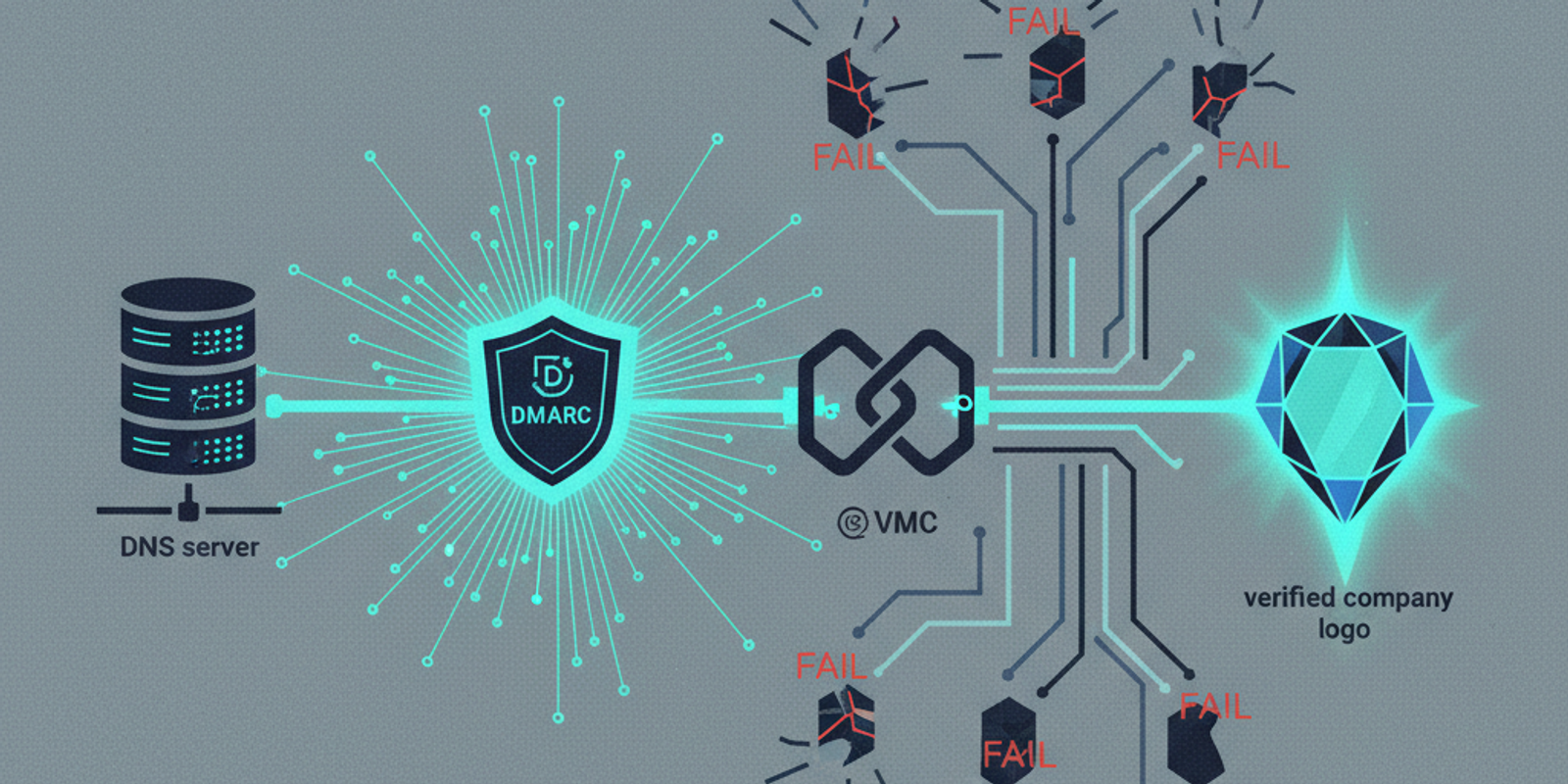
You did everything right. Your DMARC policy is set to `p=reject`, you paid for the Verified Mark Certificate (VMC), and you published the `default._bimi` TXT record with the precision of a surgeon. You send a test email to your personal Gmail account, open it, and... see that flat, generic, single-letter avatar. Nothing.
This isn't just a cosmetic failure. A missing Brand Indicators for Message Identification (BIMI) logo is a symptom. It’s a signal that somewhere in a complex chain of authentication and validation, a link broke. For an administrator troubleshooting why their Gmail BIMI is not working, the challenge is that Google’s mail transfer agent (MTA) is a black box. But by analyzing its behavior and the artifacts it leaves behind, we can trace the exact path it takes.
Let’s reverse-engineer the process, from the initial trigger to the final logo display, so you can pinpoint exactly where things went wrong.
The Trigger: When Does Gmail Even Bother Looking?
Google's infrastructure doesn't perform a BIMI lookup for every email that hits its servers. That would be a colossal waste of DNS queries and processing power. A specific set of preconditions must be met first, and failure to meet them is the number one reason logos go missing. The entire process hinges on DMARC.
DMARC Alignment is Non-Negotiable
Before BIMI is even considered, the message must achieve a DMARC `pass` verdict. According to RFC 7489, this means the message must pass either SPF or DKIM, and—crucially—the domain used for that authentication check must align with the domain in the `From:` header. A simple `pass` is not enough.
Imagine your marketing team sends an email using a third-party platform. The email has a `From:` header of `newsletter@yourbrand.com`. The platform sends from its own servers, whose IPs are in its own SPF record (`_spf.thirdparty.com`). The email passes SPF, but for the third party's domain, not yours. This is an unaligned pass. Unless the message also has an aligned DKIM signature for `yourbrand.com`, DMARC will fail. No DMARC pass, no BIMI lookup. End of story.
A Strict DMARC Policy is Required
Even with a DMARC pass, Google requires a strong signal of enforcement. Your DMARC policy (`p=`) in your DNS record cannot be `none`. You must have a policy of `p=quarantine` or `p=reject`. Furthermore, if you use the percentage tag (`pct=`), it must be set to `100`. A policy like `p=quarantine; pct=50` tells receivers to only apply the policy to half of the failing messages. For BIMI purposes in Gmail, this is treated as a weak policy. You must be all in.
Simulating Google's Path to `default._bimi`
Once DMARC gives the green light, Google's MTA will initiate a DNS query to find your BIMI record. The MTA needs to know which record to look for and what to do with the information it finds. This process can be simulated right from your command line.
First, the MTA needs a 'selector.' A selector is just a label that allows a domain to host multiple BIMI records for different purposes. The sending MTA is supposed to include a `BIMI-Selector` header in the email, like `BIMI-Selector: v=1; s=default;`. If this header is absent, the receiver defaults to, well, `default`. To date, Google relies on this default behavior. It constructs a DNS query for `default._bimi.yourbrand.com`.
dig TXT default._bimi.mailsleuth.ai
The expected response is a TXT record with two essential tags for Gmail: `l=` for the logo URL and `a=` for the VMC URL. The specification, draft-ietf-bimi, makes the authority evidence record (`a=`) optional. Google does not. If your record lacks a valid `a=` tag pointing to your VMC file, Gmail will not display your logo. The logo file itself, specified in the `l=` tag, must be in the SVG Tiny Portable/Secure profile.
Decoding the Authentication-Results Header
You don't have to guess whether Google's checks passed or failed. The `Authentication-Results` header, defined in RFC 8601, is the receipt for the entire validation process. You can find it by selecting 'Show original' for any email in the Gmail web interface.
This header is dense, but it's where you'll find the definitive BIMI verdict. It's a semicolon-separated list of authentication checks performed by the receiver—in this case, `mx.google.com`.
Authentication-Results: mx.google.com; dkim=pass header.i=@yourbrand.com; spf=pass ...; dmarc=pass (p=REJECT sp=REJECT dis=NONE) header.from=yourbrand.com; bimi=pass header.d=yourbrand.com — An example of a successful Authentication-Results header
The money shot is the `bimi=` result at the end. A `bimi=pass` means Google found your record, fetched the VMC, validated its chain of trust against the trademarked logo, fetched the SVG, and confirmed everything matches. A `bimi=fail` is your starting point for debugging. The header may even provide a reason, such as `(policy: invalid VMC certificate)` or `(policy: logo not found at url)`. A `temperror` verdict often points to DNS resolution issues, where Google's resolver couldn't get a definitive answer about your `_bimi` record at that moment.
The Caching Conundrum and Forcing a Refresh
So you found a mistake, fixed your DNS record, and re-uploaded a corrected VMC. You send another test, and still... nothing. What gives? Caching. Heavy, aggressive caching.
Google’s infrastructure caches nearly every piece of the BIMI validation to reduce load. This includes DNS records (respecting your TTL), the VMC and SVG assets themselves (likely on a Google Front End CDN), and the final validation result. If your domain has a `pass` verdict, Google isn't going to re-validate it on every single message. If it has a `fail` verdict, that failure state can also be cached for a period, typically hours or even days.
How To Break the Cache
How do you signal to Google that something has changed and it needs to re-evaluate from scratch? Simply re-uploading a file to the same URL is unreliable, as a CDN might continue to serve the old, cached version. The most effective method is to change the DNS record itself.
Change the URL in the `l=` or `a=` tag in your `default._bimi` record. Even adding a meaningless query string parameter, like `?v=2`, to the end of the URL is enough. This makes the record content different, invalidating Google's DNS record cache. The new URL forces a fresh fetch of the asset, bypassing any intermediate CDN, and triggers a full re-validation of the record and its associated VMC. In a pinch, this is the hammer you need.
Beyond the Spec: Reputation, Volume, and Other Mysteries
Sometimes, every technical check passes. DMARC is aligned and enforced. The BIMI record is perfect. The VMC is valid. The `Authentication-Results` header says `bimi=pass`. And yet, no logo appears. This is where Google's unpublished, discretionary rules come into play.
Domain Reputation and Sender Volume
BIMI is not an entitlement; it's a reward for being a good sender. Google's systems incorporate a strong concept of domain reputation. A domain with a history of sending spam, a high user-complaint rate, or one that's brand new with no sending history may not get its logo displayed, even with a `bimi=pass`. The logic is simple: prevent bad actors from easily co-opting brand logos to make their phishing emails look more legitimate.
There appears to be a minimum volume threshold as well. While not officially documented, domains that send very few emails are less likely to see their logo appear consistently. You need to establish a consistent, positive sending reputation over time. BIMI is the final step for trusted senders, not the first step for new ones.
The takeaway
Troubleshooting a missing BIMI logo is a high-value exercise. It forces you to stress-test your entire email authentication stack, from DMARC alignment across all your sending services to the finer points of DNS configuration and certificate management. The path is complex and, in places, opaque, but it's not a black box.
When the logo finally appears, it represents more than just branding. It's a public signal that your domain is configured correctly, your identity is verified, and you've earned enough trust for one of the world's largest mailbox providers to vouch for you. For analysts who need to automate the parsing of `Authentication-Results` headers across thousands of messages, platforms like MailSleuth.AI can help correlate BIMI failures with underlying DMARC or reputation issues, turning a manual chase into a systematic one.
We dissect phishing campaigns and email infrastructure so you don't have to.


